

At PCone Lab in Netanya, professional cleaning covers PCs, laptops and consoles: teardown, dust removal, thermal-paste replacement and temperature checks. Work is done in the lab at Pinhas Lavon 18, with diagnosis and a quote before starting.
Teardown, dust removal, thermal paste and temperature checks
Computer cleaning in Netanya — dust and thermal paste, laptops and desktops.
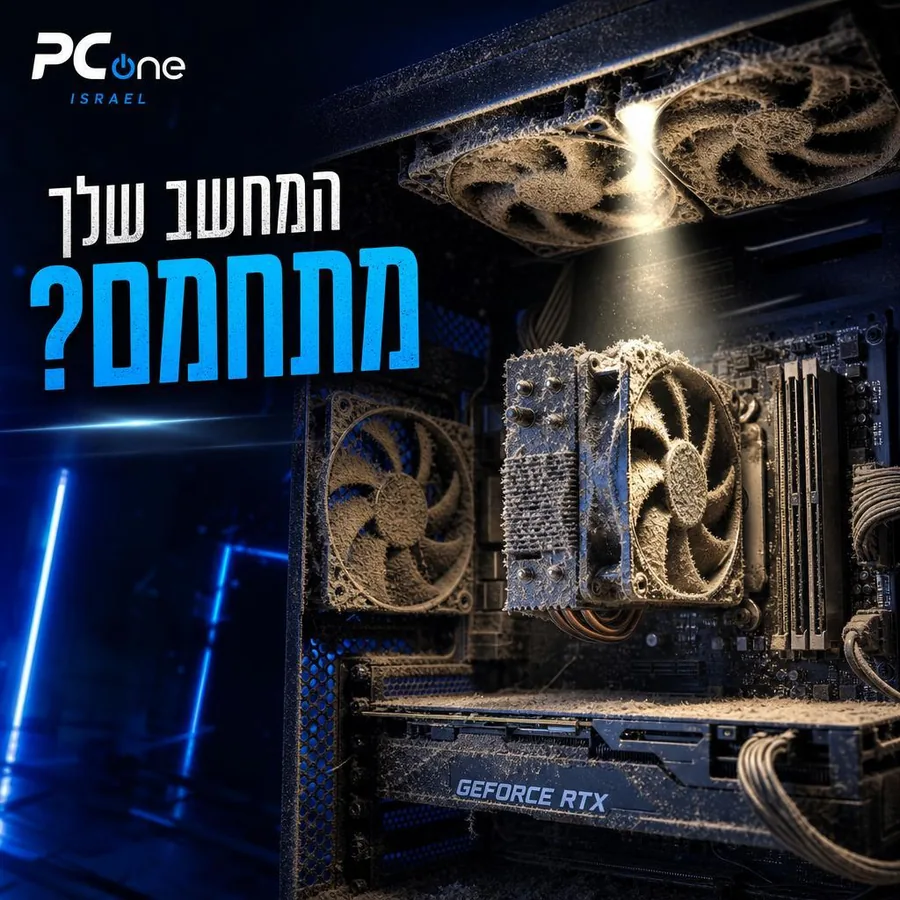
Dust is enemy #1 of every computer — it clogs the cooling, raises temperatures and shortens component lifespan.
Thermal paste: After 1.5–2 years the paste dries out and stops conducting heat. Regular replacement prevents overheating, noise, sluggishness — and costly damage to the CPU and GPU.
Real results from the lab in Netanya — before and after cleaning
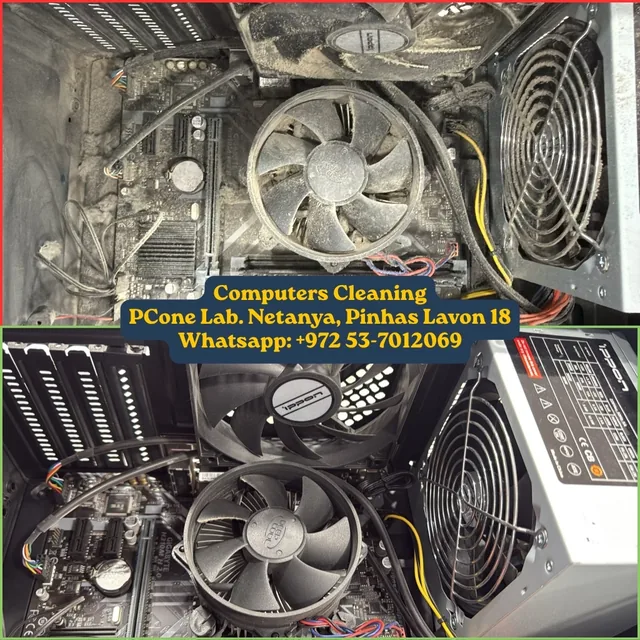
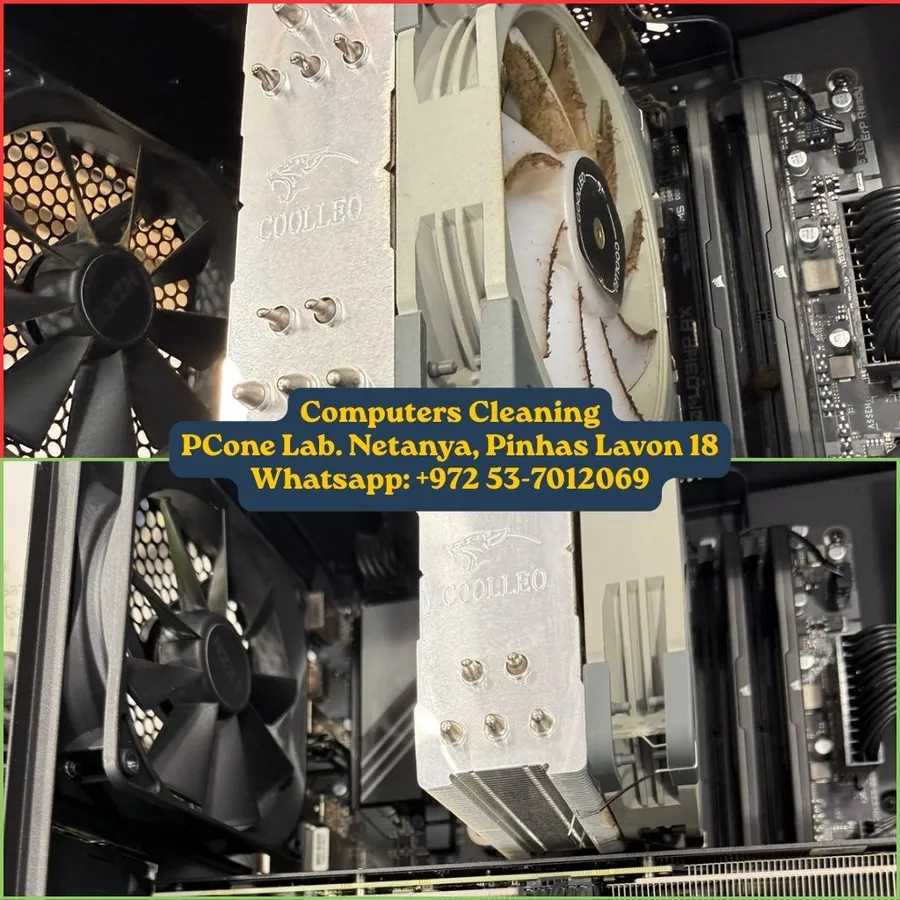
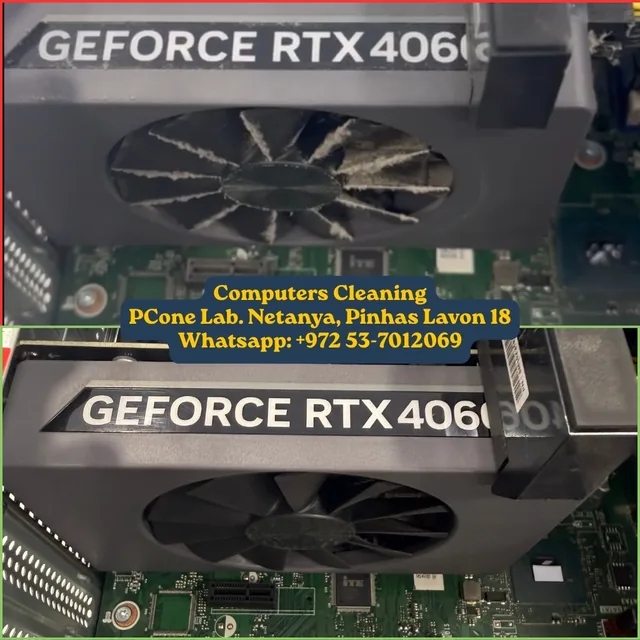
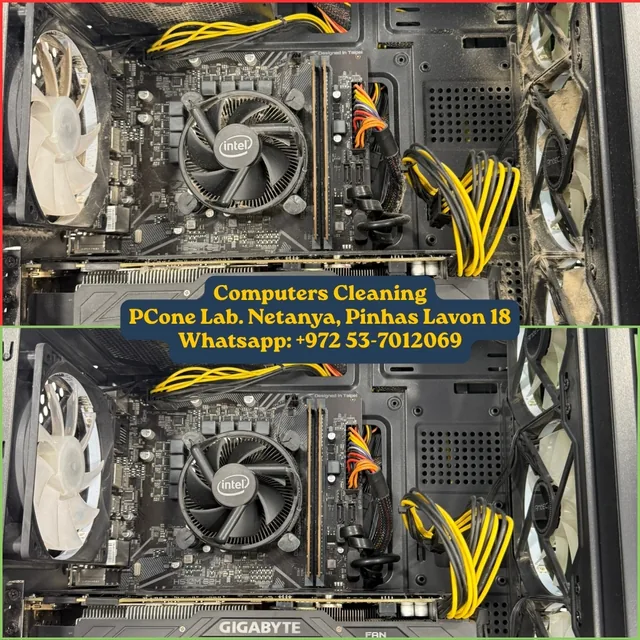
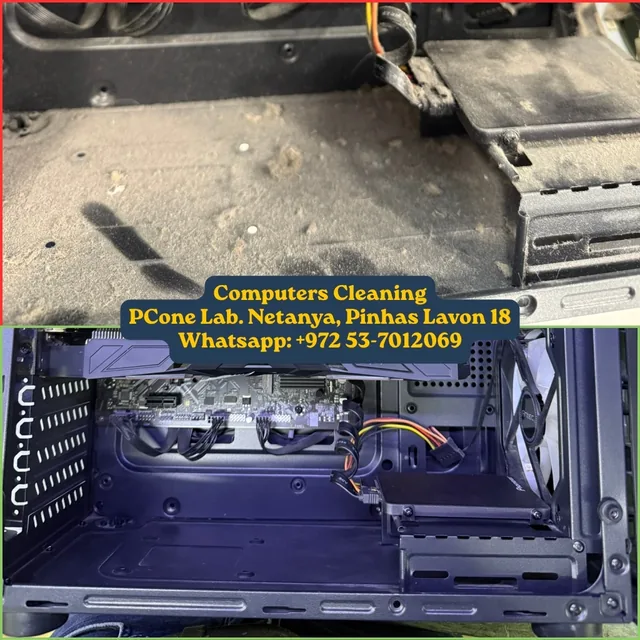
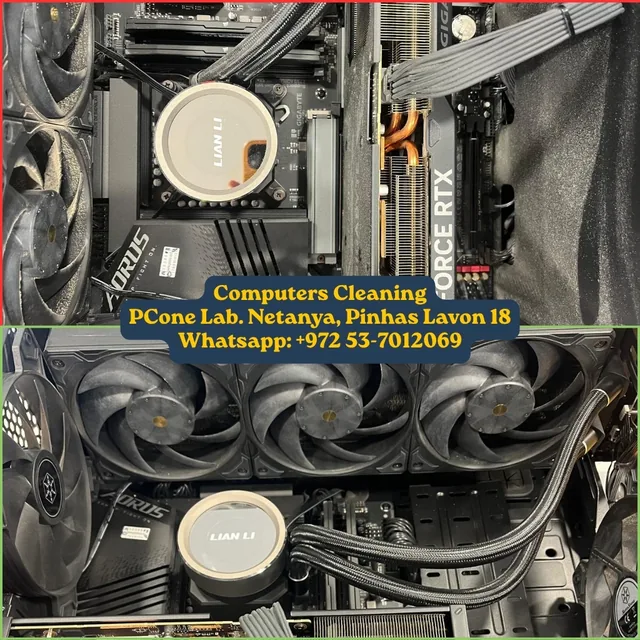
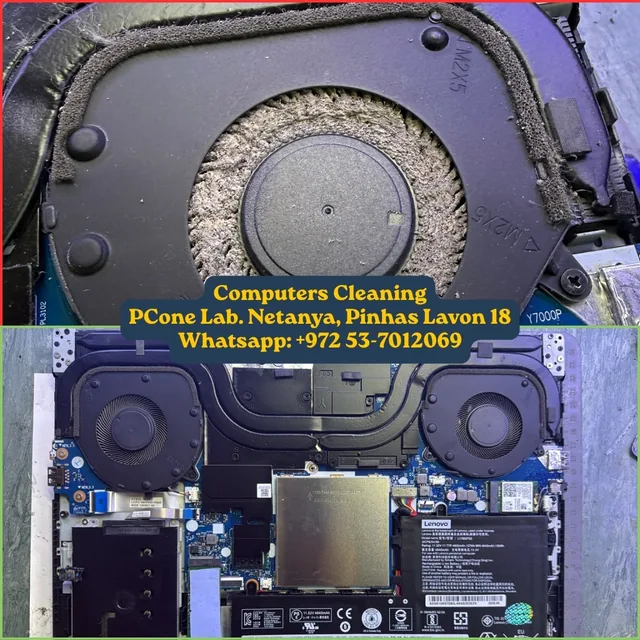
Dust clogs the cooling, the computer overheats, fans run at full speed and performance drops. Thorough cleaning with thermal paste replacement makes a huge difference.
Recommended: clean once a year for a home computer and twice a year for a gaming computer. Replace paste every 1.5–2 years.
A loud fan, overheating, slowdowns or shutdowns under load — all signs that dust and old paste are choking the cooling.
At least once a year for a home computer; for gaming or dusty work environments — every six months.
Yes — components are easy to damage. In the lab we disassemble and reassemble safely, with temperature checks before and after.
Cleaning includes disassembly, dust removal and new thermal paste. We give an exact price after checking the device in our lab, before any work starts.
When it runs hot, the fan gets loud or performance drops. Usually once every one or two years, and more often in homes with pets.
09-8345676 · 18 Pinhas Lavon St., Netanya
Chat with us on WhatsAppThis is what a PC looks like before cleaning — dust blocks cooling, causing overheating and noise.
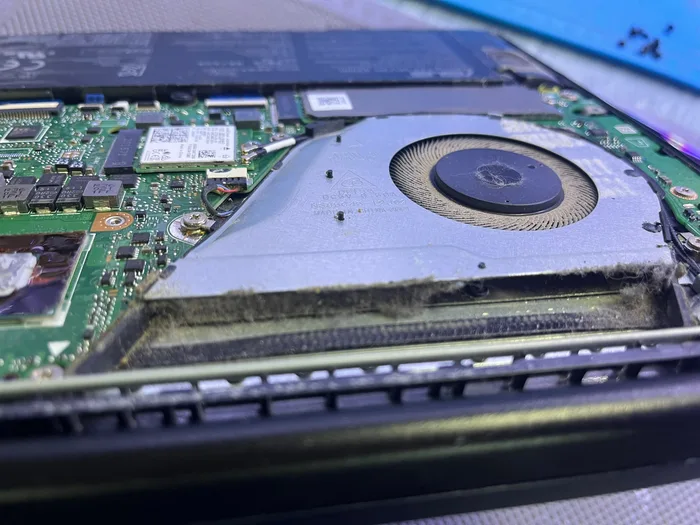 Before — dust in the fan
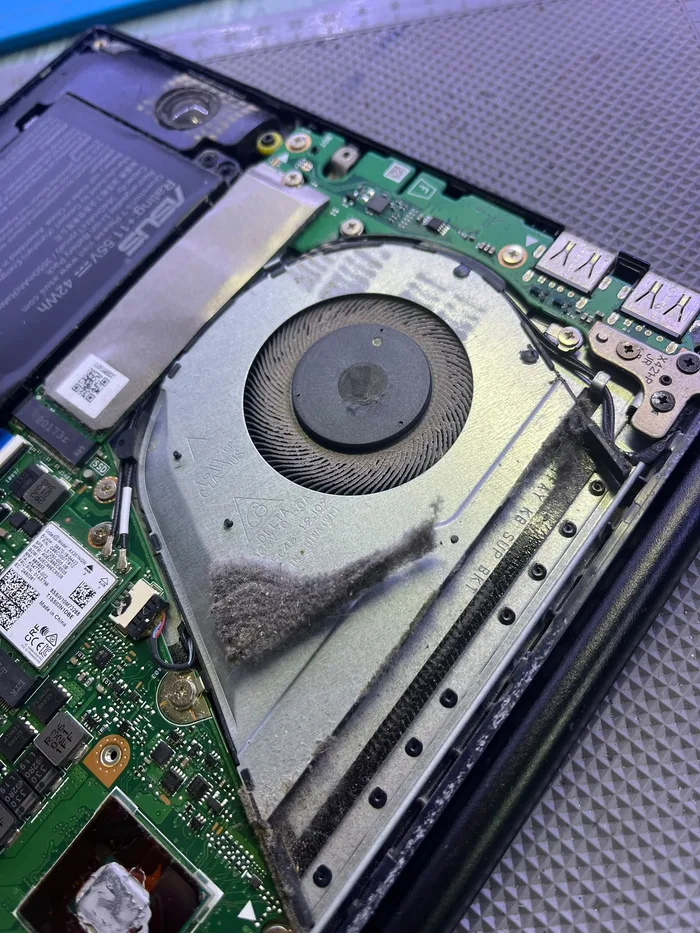 Disassembly and dust removal
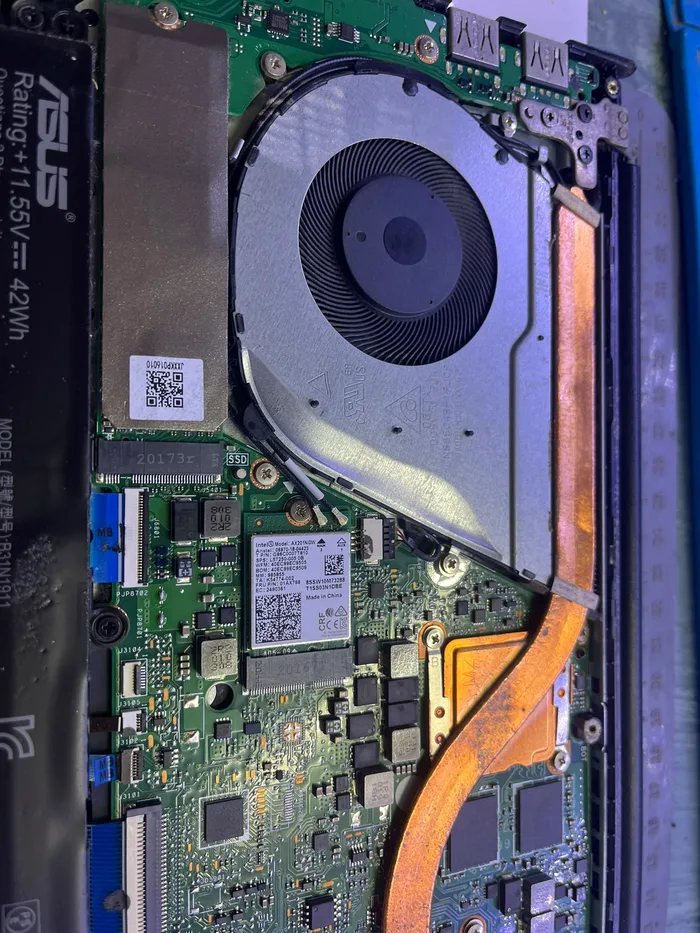 After — clean and quiet
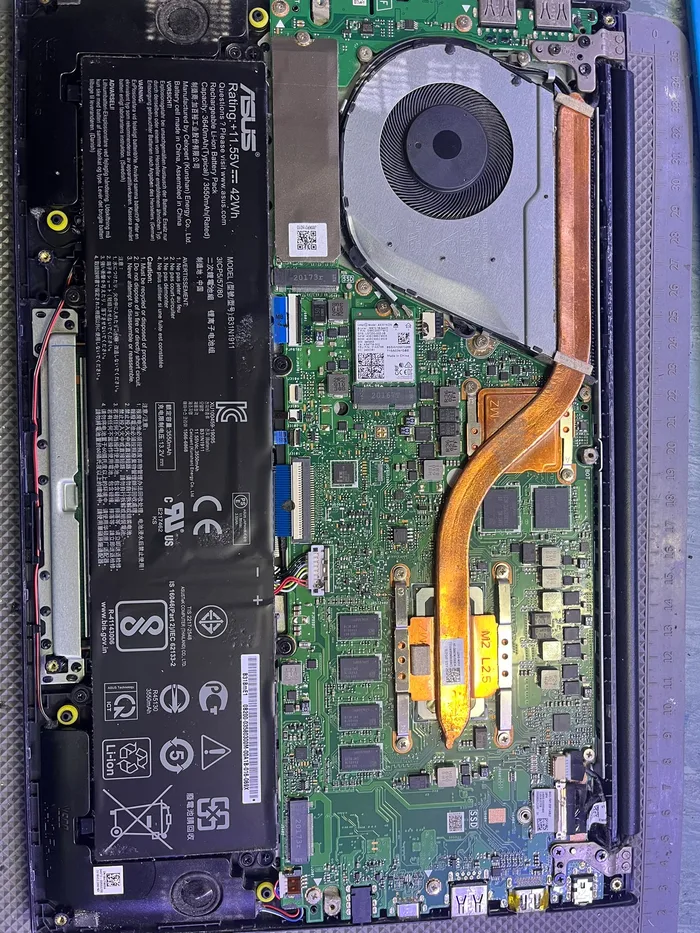 After — clean interior
Console repair and cleaning in Netanya for PS5, PS4, Xbox and Nintendo, including overheating, noise, HDMI and
Explore PCone services in Netanya: computer, laptop, MacBook, phone and console repair, cleaning, upgrades, da
Contact PCone Lab at 18 Pinhas Lavon, Netanya: call 09-8345676 or WhatsApp us for a diagnosis and repair quote
Is your computer loud, hot, slow, or shutting down mid-work? In most cases the culprit is not a mysterious virus but something simple and familiar: dust. Dust builds up inside the case and inside laptops, clogs vents, coats cooling fans, and blankets the CPU and GPU so heat cannot escape. When heat stays trapped, fans scream at full speed, performance drops, and components age faster than they should. At PCone Lab in Netanya we specialize in professional cleaning with full disassembly, compressed-air dust removal, and high-quality thermal paste replacement — so your machine feels cool and quiet again.
Who we are and why bring it here. PCone Lab is an independent repair laboratory at 18 Pinhas Lavon Street, Netanya, with more than nineteen years of experience since 2007. We are not an electronics shop that occasionally opens a PC; we are a lab that works every day with desktops, laptops, gaming builds, and consoles. When you bring a computer for cleaning, we disassemble safely, clean thoroughly, replace quality thermal paste, inspect fans and the cooling path, and measure temperatures before and after — so you see the difference in numbers, not only “it feels better.”
What our professional cleaning includes. The service covers full teardown of the case or laptop as needed, dust removal with compressed air (not just a brush on the screen or a vacuum through the outer vents), replacement of quality thermal paste on the CPU and, when relevant, on the GPU, a check of fans and cooling hardware, and temperature checks before and after the work. We clean home and office desktops, common-brand laptops, gaming PCs with air or liquid cooling, and consoles such as PS5 and PS4 — as listed on our service pages.
Why thermal paste matters as much as dust. After about one and a half to two years, thermal paste dries out and stops conducting heat properly. Even a computer that “looks clean” can overheat if the paste is old. Regular replacement prevents overheating, noise, and sluggishness — and more importantly, expensive damage to the CPU and graphics card. That is why paste replacement is part of our cleaning process, not a surprise add-on at the end.
When you should come in for cleaning. If the fan is loud even at idle, if the chassis feels hot, if the system slows under load, if it shuts down during a game or video edit, or if you have not cleaned it in more than a year — it is time. For a typical home PC we recommend cleaning at least once a year. For a gaming PC or a machine in a dusty environment — every six months. Replace paste every one and a half to two years. Do not wait until the CPU hits thermal shutdown: timely cleaning is cheaper than a major repair later.
What the visit looks like. Bring the PC or laptop to the lab at 18 Pinhas Lavon. We listen to the symptoms, take baseline temperatures when possible, disassemble and clean, replace paste, reassemble, and verify under load. You get a clear explanation of what was done and what maintenance we recommend next. Prices shown on the site (for example laptop cleaning with paste from ₪350, desktop cleaning with paste from ₪200, console cleaning by model) are a starting point; if extra parts such as a failed fan are needed, we tell you before we start.
Why not tear it down at home. Online videos make it look easy, but it is easy to damage parts, break connectors, apply the wrong amount of paste, or forget cables. In the lab we have experience, tools, and test gear. We disassemble and reassemble safely and confirm the machine is actually cooler after the work — not only “clean on the outside.”
FAQ-style answers in plain language. How do you know cleaning is needed? Loud fans, heat, slowdowns, or shutdowns under load are classic signs. How often per year? At least once for a home PC; every six months for gaming or dusty work. Does cleaning help consoles too? Yes — a dust-choked console runs hot and loud; cleaning with paste brings back cool, quiet play. What about terms after the repair? New parts come with the manufacturer terms; work follows the service type. We confirm the exact terms at intake.
Why PCone Lab in Netanya. We are local, reachable on WhatsApp and phone, use real diagnostic tools, and explain honestly what is needed and what is not. No scare tactics and no empty promises — a clear process, pricing before work when parts are involved, and a result you can measure in temperatures. If you live in Netanya and nearby and want a quiet, cool computer without replacing the whole system, professional cleaning is often the best-value step.
How to contact us and visit. Call 09-8345676, message WhatsApp 053-701-2069, or come to 18 Pinhas Lavon Street, Netanya. Hours: Sun 9:00–19:00 (break 13:30–15:00), Mon–Wed 10:00–19:00 (break 13:30–15:00), Thu 10:00–19:00 (break 13:30–15:00), Fri 9:00–14:00, Sat closed. Describe the issue briefly — we will reply with timing and a price direction. Computer overheating? Come in for a proper cleaning and get quiet, cool performance back.