


































NVIDIA GeForce or AMD Radeon?
There is no universal winner. Differences vary by model, game and settings. Compare results from the same test methodology, resolution and settings.
 iPhoneScreen, battery, port, back glass — all modelsScreen from 540 ₪Go to page
 Samsung & AndroidGalaxy, Xiaomi, OnePlus, Huawei, Honor, Pixel, tabletsScreen from 300 ₪Go to page
 MacBook & AppleDown to board level: screen, keyboard, battery, liquidBattery from 500 ₪Go to page
 LaptopsScreen, battery, keyboard, motherboard — Dell, HP, Lenovo, Asus, AcerCleaning from 350 ₪Go to page
 Desktop PCsWon’t turn on, shuts down, lags, power supply, WindowsCleaning from 200 ₪Go to page
 Data recovery & transferDrives, SSDs, memory cards, WhatsApp, photosGo to page Upgrades & maintenanceSSD, memory, graphics card, cooling, cleaningGo to page
 All articlesGuide
 FAQ
 Phone fell in water — what to do
 Phone won’t chargeSlow laptop
 Laptop or desktop?
 PC won’t turn on
 PC overheating
 Blue screen (BSOD)
 HDMI — no signal
 MacBook batteryMacBook won’t turn onPS5 won’t turn on
 Noisy PS5Xbox won’t turn onData recovery: what to know
 Upgrading to SSDUpgrade or new build?
 Your first gaming PC
 Gaming PC on a budgetHow much a gaming PC costsPrebuilt or custom?
 GPU comparisonCompact PC


 Keyboard engravingHebrew, Russian and English lettersOnly here
 Vacuum cleaner partsSearch by model
 AI PCsPCs for AI workCustom PCBuilt to your budget
 GTA VI — PC buildsRecommended PCs for the gameiPhoneScreen, battery, port, back glass — all modelsSamsung & AndroidGalaxy, Xiaomi, OnePlus, Huawei, Honor, Pixel, tabletsMacBook & AppleDown to board level: screen, keyboard, battery, liquidLaptopsScreen, battery, keyboard, motherboard — Dell, HP, Lenovo, Asus, AcerDesktop PCsWon’t turn on, shuts down, lags, power supply, Windows
 Graphics cardsRTX, Radeon, Arc — artifacts, no display, 12VHPWRConsolesPlayStation, Xbox, Nintendo Switch
 Liquid damagePhones, laptops and MacBook after water
 Audio & video for home and businessDesign, equipment and on-site installation
 Custom installation
 Business solutions
 AV projectsAV galleryAudio & video prices
 Contact — audio & video
 AV brandsEpson, Optoma and moreData recovery & transferDrives, SSDs, memory cards, WhatsApp, photosUpgrades & maintenanceSSD, memory, graphics card, cooling, cleaningLaser engravingHebrew, Russian, English — on any keyboardGaming PCsFortnite, Valorant, CS2, GTA VIComputersMonitorsStorage
 Memory
 ProcessorsCases
 Keyboards
 AudioChargersGamingConsole accessories
 Online shop
 Projectors, Hi-Fi, home cinema and moreAll articlesGuideFAQPhone fell in water — what to doPhone won’t chargeSlow laptopLaptop or desktop?PC won’t turn onPC overheatingBlue screen (BSOD)HDMI — no signalMacBook batteryMacBook won’t turn onPS5 won’t turn onNoisy PS5Xbox won’t turn onData recovery: what to knowUpgrading to SSDUpgrade or new build?Your first gaming PCGaming PC on a budgetHow much a gaming PC costsPrebuilt or custom?GPU comparisonCompact PCGTA VISystem requirements, PCs, consoles, gameplayPCone & the labAbout, our work, prices, contact
Guides
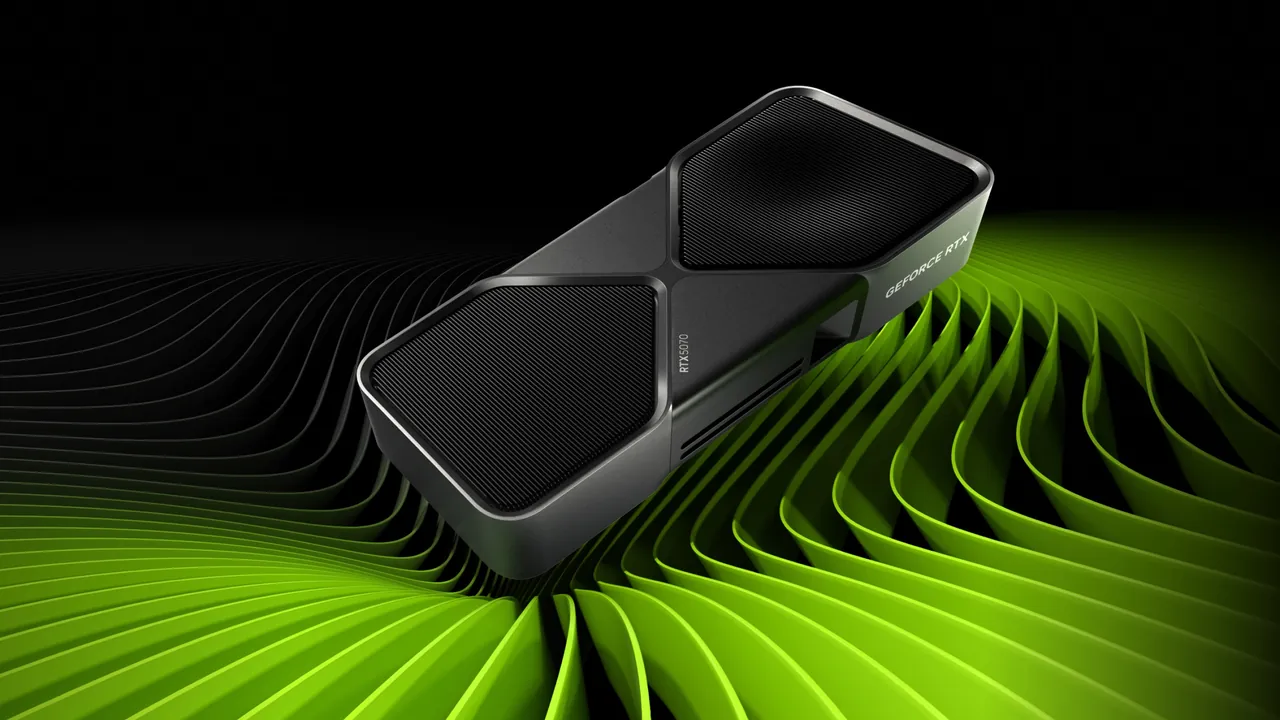
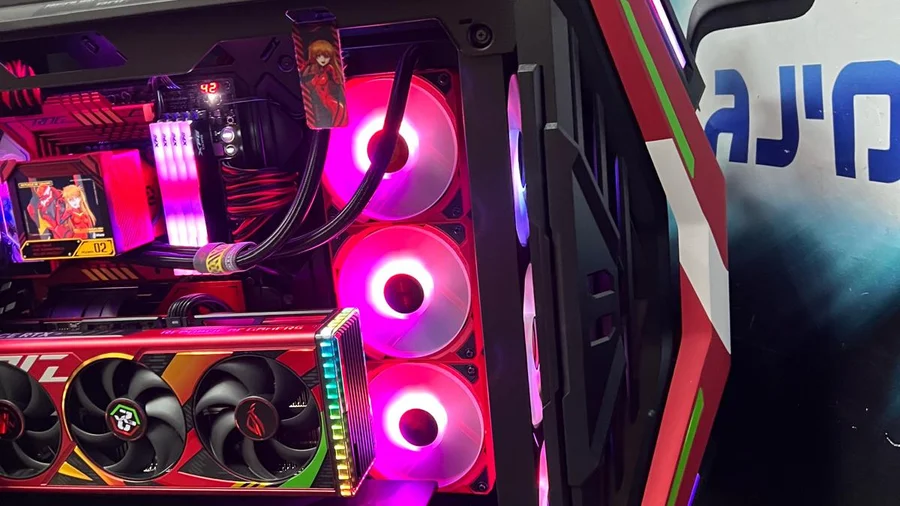
A graphics card is chosen for your monitor, not for the number in its name. Four checks save a second purchase: resolution and refresh rate, memory size, power supply and case clearance.
There is no universal winner. Differences vary by model, game and settings. Compare results from the same test methodology, resolution and settings.
Average FPS is only part of the picture. Check 1% lows, frame times, consistency, image quality, power use and noise. Do not treat native rendering, upscaling and frame generation as equivalent tests.
8GB, 12GB or 16GB does not determine performance on its own. More memory can help with demanding textures, high resolutions and large projects, but compute power and bandwidth matter too.
Upscaling can improve frame rates while reconstructing the image; frame generation adds displayed frames but is not the same as rendered FPS; ray tracing improves lighting and reflections at a performance cost. Support depends on the game and GPU.
Check card length and thickness, PSU capacity and connectors, PCIe slot, CPU limits, airflow, display outputs and drivers. A general PSU recommendation does not replace checking the exact card model.
Crashes under load, artifacts, loud fans, overheating or a black screen can come from the GPU, PSU, driver, connector or cooling. Proper diagnosis should come before replacing parts.
These are reference points, not hard limits: the game, the CPU and the settings change the result.
Memory size does not make a card faster. It decides whether heavy textures fit without stutter.
Full HD at sensible settings
In new games high textures and RT can hurt 1% low1080p and some 1440p
Not always comfortable for 4K or heavy RT texturesGood headroom for 1440p and some 4K
Capacity alone does not guarantee FPSFlagships and professional work
High price, power and system requirementsRule of thumb: "16GB" is not proof that a card is faster. Architecture, bandwidth and compute matter just as much.
The vendor recommendation is a starting point, not a replacement for checking your own system.
Length, thickness and height are checked by exact part number, not by chip name.
"It has 16GB, so it is always faster"
No. Memory helps when it runs short, but the chip sets the speed.
"The review showed 150 FPS, so I will get that too"
Not necessarily: different game, CPU and settings.
"FPS with frame generation equals native FPS"
No. They are two different numbers and cannot be compared.
Sometimes, but only after checking it: the PSU must meet the vendor recommendation and have the right connectors. Otherwise the system will shut down under load.
Usually 12-16GB. 16GB gives headroom for heavy textures and RT, but capacity alone does not guarantee performance.
Check by part number: length, thickness, height. The chip name says nothing, every vendor has its own dimensions.
No. VRAM helps when memory capacity is the limit. FPS also depends on GPU compute, clocks, bandwidth, CPU and settings.
In most laptops the graphics chip is soldered to the motherboard and cannot be swapped like a desktop card. Cooling, drivers and board faults can still be checked.
No. Check the exact model's recommendation, PSU quality and age, and the required power connectors.
Capture a photo, stop heavy use if the system is overheating, and check whether the issue appears outside the game. Diagnosis is needed before concluding the GPU has failed.
Send the computer model or a photo of the label and we will check compatibility before you buy.