













































PC build · your parts and lists
This is the “Put together a list of PC parts? We check compatibility before you buy” page at PCone Lab in Netanya. Advice and orders: 09-8345676. The lab is at 18 Pinhas Lavon, Netanya (Lev Yasmin mall). Phone 09-8345676, WhatsApp 053-701-2069. Hours: Sun 9:00–19:00 · Mon–Thu 10:00–19:00 (break 13:30–15:00 Sun–Thu) · Fri 9:00–14:00 · Sat closed. We welcome customers from Netanya and the Sharon since 2007.
Put together a list of PC parts? We check compatibility before you buy
Socket, BIOS, memory, power supply, case dimensions. Send the list or bring the parts: we check that everything fits and build the computer.
- Gaming PC from 600 ₪
- Office PC from 400 ₪
- Consultation included in the build
What to send
- 1The list or links
what you already have or found — we check compatibility
- 2What the PC is for
games, work, editing or home — the parts follow
- 3Which monitor
resolution and refresh rate decide the GPU
- 4Budget
a range we build within, no surprises on the bill
- 5You approve the parts list
nothing is ordered without your go-ahead
- 6Stress test before handover
we test in a game and under load
- 7Lab in Netanya since 2007
19 years with PCs and consoles
In short
If you put together a parts list yourself, it is worth checking before you buy. We check that the processor and board match by socket and chipset, that the BIOS supports the processor, which memory type is needed, that the power supply has enough wattage and the right connectors, and that the graphics card and cooler fit the case. Send the list on WhatsApp or bring the parts to PCone in Netanya. Consultation and parts selection are included in the build: office PC from 400 ₪, gaming PC from 600 ₪, editing PC from 700 ₪.
- Where
- Pinhas Lavon 18, Netanya
- Price
- Builds from 400 ₪, parts separate
- Contact
- WhatsApp 053-701-2069, phone 09-8345676
PCone is an independent lab, not an authorized service center of NVIDIA, AMD, Intel, NZXT or other brands. Brand names are used only to describe parts.
Updated:
How to prepare the list
Helpful
- Write down exact models: processor, board, memory, graphics card, power supply, case, cooler, drives.
- Add links to the parts if you buy online.
- Tell us what the PC is for and which monitor you have.
- If you already have some parts, mark them.
Avoid
- Don't buy everything before the list is checked
- Don't choose a power supply by watts only: connectors matter too
- Don't forget cooler height and graphics card length
- Don't mix DDR4 and DDR5: a board supports one type
Common mistakes in parts lists
What we find most often when checking.
Wrong socket
Processor and board from different platforms.
Old BIOS
The board doesn't know the new processor without an update.
Wrong memory
DDR4 instead of DDR5 or the other way round.
Weak power supply
Not enough wattage or connectors for the graphics card.
Doesn't fit
The graphics card or cooler is larger than the case allows.
No slot
Not enough M.2 slots for the drives.
What AMD, Intel and NVIDIA say
- AMD: all AM5 boards are compatible with all AM5 processors. Boards with 600 series chipsets may need a BIOS update for Ryzen 8000 and 9000.
- AMD: AM5 support is extended through 2029. The AM5 platform works with DDR5 memory.
- AMD: EXPO is a set of DDR5 memory overclocking profiles. AMD keeps a list of tested memory modules.
- Intel: Core Ultra (Series 2) desktop processors use the LGA 1851 socket and are not compatible with earlier platforms. LGA 1700 coolers fit mechanically, but their power rating must be checked.
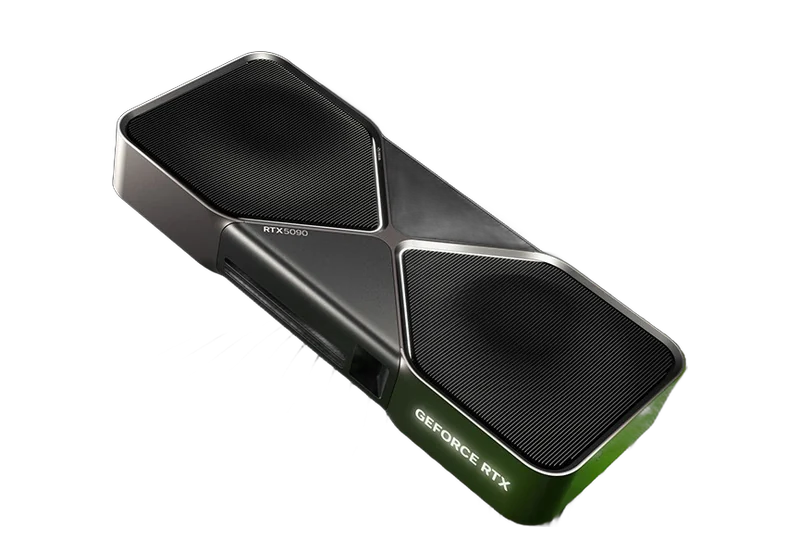
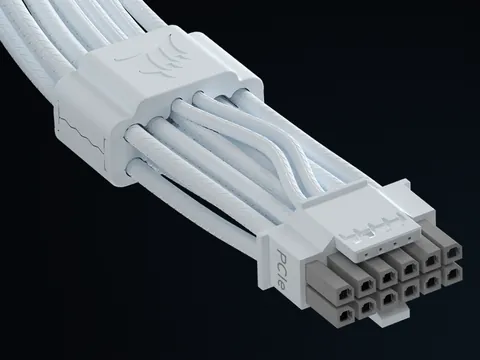
- NVIDIA: the RTX 5070 takes power from two PCIe 8-pin connectors through an adapter or from a 300 W PCIe Gen 5 cable. NVIDIA recommends a PCIe CEM 5.1 power supply.
Source: amd.com: AMD Socket AM5 chipsets · amd.com: Computex 2026, AM5 support through 2029 · amd.com: AMD EXPO technology · intel.com: Intel Core Ultra desktop processors (Series 2), compatibility · nvidia.com: GeForce RTX 5070 Family, specs
What we check in the list
For each item we answer: fits, doesn't fit or carries a risk.
| Item | What we compare | Where we look |
|---|---|---|
| Processor and board | Socket, chipset, BIOS version | The board maker's supported processor list |
| Memory | DDR4 or DDR5, capacity, EXPO or XMP profile | The board's and AMD's compatible memory lists |
| Power supply | Wattage and connectors for the graphics card | The graphics card maker's recommendations |
| Case | Graphics card length, cooler height, radiator | Case and part specifications |
| Drives | M.2 and SATA slots, shared lanes | The board manual |
What we do with the list
- Compare each part with the others
- Flag risks and unnecessary costs
- Suggest a replacement if something doesn't fit
- Build once the list is approved
What you get
- An answer for every part: fits or not
- Notes on the power supply and case
- The build price before work starts
Build prices
"From" prices for the build work, from our price list. We give the exact price before work starts.
| Service | Price |
|---|---|
| Office / home PC build | from 400 ₪ |
| Gaming PC build | from 600 ₪ |
| Editing / heavy work PC build | from 700 ₪ |
| Consultation and parts selection | included in the build |
Prices for the build work. Parts are paid separately.
How it works
- 1
Message or visit
Tell us on WhatsApp what the computer is for and your budget, or come to the lab.
- 2
Proposal
We suggest a configuration and approve the parts together.
- 3
Build and tests
We assemble, install the system and test under load.
- 4
Handover
We hand over the finished computer and explain what is inside.
Parts check questions
How much does a list check cost?
Consultation and parts selection are included in the build. The build itself: office PC from 400 ₪, gaming PC from 600 ₪, editing PC from 700 ₪.
How do I know a processor fits a board?
The socket must match and the board's BIOS must support the processor. AMD says 600 series boards may need a BIOS update for Ryzen 8000 and 9000.
Which power supply should I get?
We follow the graphics card maker's recommendation and check the connectors. NVIDIA lists 650 W for the RTX 5070 and 750 W for the RTX 5070 Ti, for a PC with a Ryzen 9 9950X.
Will my old cooler fit a new Intel processor?
Intel says LGA 1700 and LGA 1851 cooler mounting is mechanically compatible, but the cooler's power rating must be checked for the processor.
Can I use DDR4 memory on an AM5 board?
No. The AM5 platform works with DDR5 memory.
Will you build a computer from my parts?
Yes. We check compatibility, assemble, install Windows and drivers and test under load.
Need a computer for your needs? Message us
Pinhas Lavon 18, Netanya (Lev Yasmin mall)
Phone: 09-8345676 · WhatsApp: 053-701-2069
Message us on WhatsApp what the computer is for and your budget, or send your parts list. You can also come to the lab and discuss the build in person.
Opening hours
| Sunday | 9:00-19:00 |
|---|---|
| Mon-Thu | 10:00-13:30, 15:00-19:00 |
| Friday | 9:00-14:00 |
| Saturday | Closed |
Break 13:30-15:00, Sun-Thu
Frequently asked questions
Where is PCone Lab, and what are the opening hours?
PCone Lab is at 18 Pinhas Lavon, Netanya, in the Lev Yasmin mall. Phone 09-8345676, WhatsApp 053-701-2069. Hours: Sunday 9:00–19:00, Monday–Thursday 10:00–19:00, with a break 13:30–15:00 Sunday–Thursday; Friday 9:00–14:00; Saturday closed. We have served Netanya and the Sharon since 2007.
Can I see the product before ordering?
We will help you choose before you order. Please call 09-8345676 or message WhatsApp 053-701-2069.