




































Phones and laptops · hidden signs
If a phone or laptop still turns on after water, that does not mean it is dry inside: moisture and corrosion can show up days later. PCone Lab in Netanya checks those signs before a serious failure. The lab is at 18 Pinhas Lavon, Netanya (Lev Yasmin mall). Phone 09-8345676, WhatsApp 053-701-2069. Hours: Sun 9:00–19:00 · Mon–Thu 10:00–19:00 (break 13:30–15:00 Sun–Thu) · Fri 9:00–14:00 · Sat closed. We welcome customers from Netanya and the Sharon since 2007. Diagnostic 200 ₪ is credited toward the repair; work starts only after you approve the quote.
Device still works after water? Signs that moisture stayed inside
A phone or laptop can work for several days after water and then start failing. Here are the signs to watch for and what liquid warnings mean.
- Android from 350 ₪
- Laptop from 500 ₪
- Deep corrosion from 700 ₪
- Diagnosis (credited to the work) 200 ₪
If you notice a sign
- Back up your data
- Don't charge with a water drop icon
- Bring it in for a check
- Price before work
- Work starts only after you approve
- A lab in Netanya since 2007
In short
If a phone or laptop works after water, it doesn't mean it's dry inside. Corrosion develops gradually: days later charging can stop, sound can crackle, the camera can fog or the touchscreen can glitch. An iPhone has a liquid contact indicator, and iPhone and Samsung warn about moisture in the port. If you notice such signs, back up your data and bring the device to PCone in Netanya for a check. Android water damage is from 350 ₪, iPhone from 500 ₪ or from 350 ₪ depending on the series, laptop from 500 ₪, deep corrosion from 700 ₪.
- Where
- Pinhas Lavon 18, Netanya
- Price
- Before work
- Contact
- WhatsApp 053-701-2069, phone 09-8345676
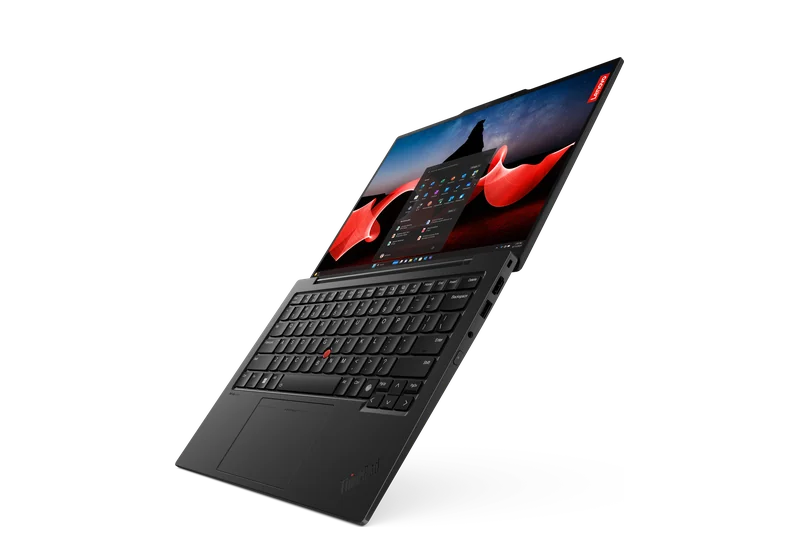
PCone is an independent lab, not an authorized service provider of Apple, Samsung, Lenovo, Dell or Sony. Brand names are used only to describe models.
Updated:
What to do if the device was in water
Do
- Back up while the device works.
- Watch charging, sound, camera and touch.
- If there's a liquid warning, unplug the charging cable.
- Bring it in for a check, even if the signs are mild.
Don't
- Don't ignore a liquid warning
- Don't charge with a cable while the water drop icon shows
- Don't use a hair dryer or rice
- Don't wait until the device dies completely
Hidden signs after water
They usually appear a few days later.
Quiet or crackling sound
Speaker, microphone or earpiece.
Foggy camera
Spots or haze inside the lens.
Charging
A liquid warning, charging comes and goes.
Screen and touch
False touches, lines, backlight spots.
Battery
Drains fast, gets hot, shuts down suddenly.
Laptop keyboard
Keys stick or don't work.
Liquid indicators and warnings
- Apple: an iPhone has a Liquid Contact Indicator (LCI). It's normally white or silver and turns red on contact with water. Humidity and temperature changes within the product's environmental requirements don't trigger it.
- Apple: on many iPhones the indicator is visible in the SIM tray. eSIM-only models have no tray.
- Apple: from iPhone XS and XR, an iPhone can warn about liquid in the port and disable cable charging until the port dries.
- Samsung: when moisture is in the USB port a water drop icon appears and charging stops. The icon can also appear from high humidity.
Source: support.apple.com: Liquid Contact Indicators (LCI) · support.apple.com: Liquid-detection alert on iPhone · samsung.com: Water drop icon, device will not charge
Sign: what it may mean
A guide, not a diagnosis. The real picture is visible after opening.
Sign: what it may mean
How we check
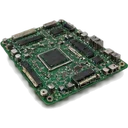
- Open the device and inspect the board
- Look for corrosion on connectors and flex cables
- Ultrasonic cleaning when needed
- Test the battery and charging
What you get
- A clear answer: corrosion or not
- The repair price before work
- Advice on whether to save your data urgently
Repair price list
Exact price after diagnostics — before any work starts.
| Service | Price |
|---|---|
| Diagnostics | 200 ₪ credited to the repair |
| Board diagnostics | 300 ₪ |
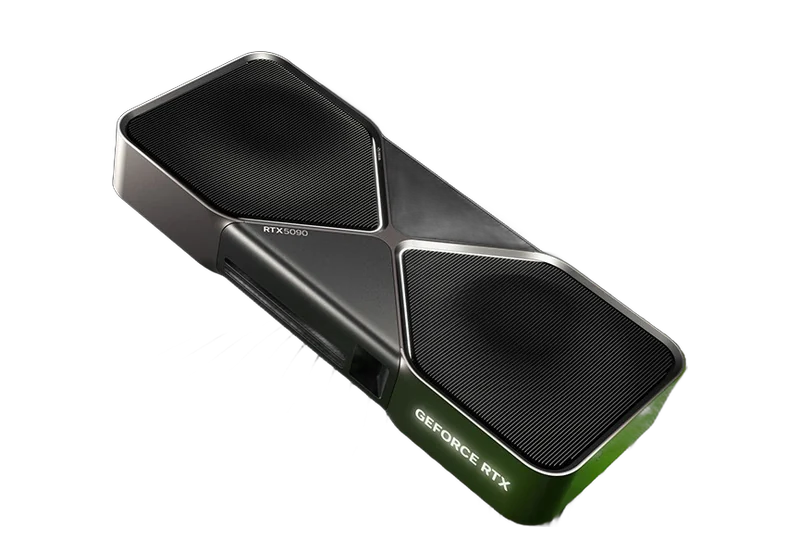
| Graphics card diagnostics | 200 ₪ |
| iPhone after water | from 600 ₪ |
| Android phone after water | from 500 ₪ |
| Laptop after a spill | from 500 ₪ |
| MacBook after a spill | from 500 ₪ |
| Deep corrosion | 700 ₪ the device was wet for a long time or in sea water |
How it works
- 1
Message us or drop in
Describe what happened on WhatsApp, or bring the device to our lab in Netanya.
- 2
Diagnosis and price
We open it, inspect the board and give you the price before any work.
- 3
Your approval
Work begins only after you approve.
- 4
Cleaning, repair, testing
We clean the board, replace what's damaged, test every function and only then hand it back.
Frequently asked questions
My phone works after water. Does it need a check?
Yes. Corrosion develops gradually, and problems can appear days later. A check shows whether moisture and salts are inside.
What does a red indicator in the SIM tray mean?
Apple says the indicator turns red on contact with water or a liquid containing water. It means liquid got inside, but not what exactly is damaged.
Why does my phone warn about liquid in the port?
There's moisture in the port. Unplug the cable and let the port dry. Samsung says the water drop icon can also appear from high humidity. If the warning stays, the port needs checking.
Can I charge wirelessly while there's a warning?
Apple and Samsung allow wireless charging when moisture is detected in the port. But if the phone was in water, it's better to have it checked first.
The camera fogged after water. Will it clear?
The haze sometimes clears, but the moisture inside stays and causes corrosion. It's better to open and dry it.
How much do the check and repair cost?
Android water damage from 500 ₪, iPhone from 500 ₪, laptop from 500 ₪, deep corrosion from 700 ₪. You get the price before work.
Nothing found. Ask us on WhatsApp.
Where is PCone Lab, and what are the opening hours?
PCone Lab is at 18 Pinhas Lavon, Netanya, in the Lev Yasmin mall. Phone 09-8345676, WhatsApp 053-701-2069. Hours: Sunday 9:00–19:00, Monday–Thursday 10:00–19:00, with a break 13:30–15:00 Sunday–Thursday; Friday 9:00–14:00; Saturday closed. We have served Netanya and the Sharon since 2007.
Should I wait for the device to “dry out on its own” if it still works?
Better not: corrosion continues after the case looks dry. Back up anything important and bring the device in for a check. Diagnostic 200 ₪. Differences between on-page water-damage prices and the price list are flagged only, not rewritten.