




















































Need a computer for editing or 3D? Workstation builds in Netanya
PC build · editing, 3D, streamingDiagnostics 200 ₪In short
For editing and 3D, memory, the graphics card and fast drives matter, and for rendering also the processor and cooling. Adobe recommends 16 GB of memory for HD and 32 GB or more for 4K in Premiere, a graphics card with 8 GB of memory and a separate fast drive for media. Blackmagic Design lists at least 16 GB for DaVinci Resolve 20, 32 GB with Fusion. At PCone in Netanya we choose a configuration for your software and build it. An editing and heavy work PC build is from 700 ₪, parts are paid separately.
- Where
- Pinhas Lavon 18, Netanya
- Price
- Builds from 400 ₪, parts separate
- Contact
- WhatsApp 053-701-2069, phone 09-8345676
PCone is an independent lab, not an authorized service center of NVIDIA, AMD, Intel, NZXT or other brands. Brand names are used only to describe parts.
Updated: 20.10.2026
How to prepare for the talk
- Tell us which software you use.
- Name the video resolution and format: HD, 4K, RAW.
- Estimate project size and how much storage you need.
- Say whether you also stream or record games.
- Don't chase cores if your software leans on the graphics card
- Don't keep system and media on one drive
- Don't forget cooling for long renders
- Don't size the power supply with no headroom
What slows work down
Where the bottleneck usually is in work PCs.
What Adobe, Blackmagic and NVIDIA say
- Adobe: for Premiere, 16 GB of memory is recommended for HD and 32 GB or more for 4K and higher.
- Adobe: a graphics card with 8 GB of memory, a fast internal SSD for the app and cache and a separate fast drive for media.
- Adobe: for After Effects, start with 64 GB of memory and a graphics card with at least 8 GB of memory.
- Blackmagic Design: DaVinci Resolve 20 for Windows needs at least 16 GB of memory, 32 GB with Fusion, and a graphics card with at least 4 GB of memory.
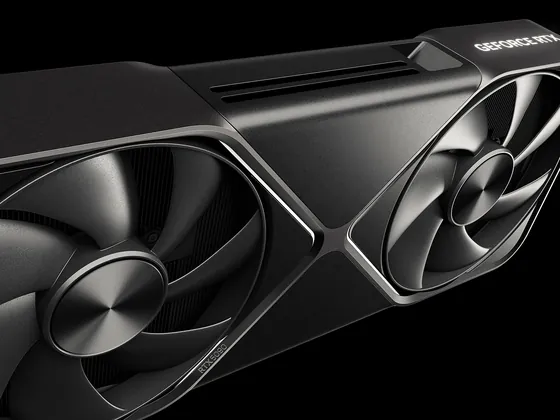
- NVIDIA: the RTX 5070 Ti has two ninth-generation NVENC encoders, the RTX 5070 has one. Both encode AV1.
Source: helpx.adobe.com: Adobe Premiere technical requirements · helpx.adobe.com: Hardware recommendations, Premiere Pro and After Effects · blackmagicdesign.com: DaVinci Resolve 20, system requirements · nvidia.com: GeForce RTX 5070 Family, specs
Software and what it needs
From the software makers. We match the exact configuration to your projects.
- Adobe Premiere
- 16 GB for HD, 32 GB or more for 4K · Graphics card with 8 GB of memory, separate fast drive for media
- Adobe After Effects
- Start with 64 GB · Graphics card with at least 8 GB of memory, fast cache drive
- DaVinci Resolve 20
- 16 GB, 32 GB with Fusion · Graphics card with at least 4 GB of memory
- Streaming and recording
- Depends on the task · Graphics card encoding (NVENC, AV1)
How we build a work PC
- Choose parts for your software
- Split the drives: system, projects, cache
- Fit cooling for long loads
- Install Windows, drivers and updates
How we test
- Processor and graphics card stress test
- Temperatures under long load
- Drive speed
- Memory stability
Work PC build prices
"From" prices for the build work, from our price list. We give the exact price before work starts.
- Editing / heavy work PC build
- from 700 ₪
- Gaming PC build
- from 600 ₪
- Consultation and parts selection
- included in the build
Prices for the build work. Parts are paid separately, from the approved list.
How it works
Tell us on WhatsApp what the computer is for and your budget, or come to the lab.
We suggest a configuration and approve the parts together.
We assemble, install the system and test under load.
We hand over the finished computer and explain what is inside.
Useful to know
Need a computer for your needs? Message us
Pinhas Lavon 18, Netanya (Lev Yasmin mall)
Phone: 09-8345676 · WhatsApp: 053-701-2069
Message us on WhatsApp what the computer is for and your budget, or send your parts list. You can also come to the lab and discuss the build in person.
- Sunday
- 9:00-19:00
- Mon-Thu
- 10:00-13:30, 15:00-19:00
- Friday
- 9:00-14:00
- Saturday
- Closed
Break 13:30-15:00, Sun-Thu
 Parts
Parts and upgrades by modelSSD, RAM, PSU, GPU — fit before we order
See parts
FAQ
Where is PCone Lab, and what are the opening hours?
PCone Lab is at 18 Pinhas Lavon, Netanya, in the Lev Yasmin mall. Phone 09-8345676, WhatsApp 053-701-2069. Hours: Sunday 9:00–19:00, Monday–Thursday 10:00–19:00, with a break 13:30–15:00 Sunday–Thursday; Friday 9:00–14:00; Saturday closed. We have served Netanya and the Sharon since 2007.
Can I take a ready PC today, or is every machine built to order?
A finished configuration is sometimes available to discuss, but that changes. It is safer to agree the list on 09-8345676. We assemble in the lab and quote before work, without promising stock.
How much does an editing PC build cost?
From 700 ₪ for the work. Consultation and parts selection are included in the build, parts are paid separately.
How much memory do I need for Premiere?
Adobe recommends 16 GB for HD and 32 GB or more for 4K and higher.
What does DaVinci Resolve need?
Blackmagic lists at least 16 GB of memory, 32 GB with Fusion, and a graphics card with at least 4 GB of memory.
Do I need a separate drive for media?
Adobe recommends a fast internal SSD for the app and cache and a separate fast drive for media.
Will a gaming PC work for editing?
Often yes: a strong graphics card speeds up editing too. Large projects usually need more memory and storage than a gaming PC has.
Can I stream and play on one PC?
Yes. The RTX 5070 and RTX 5070 Ti have an NVENC hardware encoder with AV1 support, which takes the load off the processor.