



























































Phone corrosion: what happens to the board and what can be saved
Corrosion is not the moment a phone gets wet. It is what stays behind: oxide on contacts, copper eaten from the inside, and a device that starts misbehaving weeks after it dried. This page is about the condition of the device and its diagnosis, not about the first thirty seconds after water — that has its own page.
- Diagnosis 200 ₪
- Price after opening and board inspection
What corrosion looks like
Greenish or white-green oxide on the charging contacts · dark grey spots or crystals on the board · a screen that turns on and off by itself · charging only at an angle · heat without load · a metallic smell or rust traces near the connectors · a second-hand device that behaves as if it has seen water.
Moisture, seawater and corrosion are not the same thing
Moisture is water that is inside the device right now. Corrosion is a chemical reaction between water, salts and current, and it continues without water: salt left between contacts keeps eating copper and changing resistance. So a phone that fell into a pool, one that got coffee, and one that sat in bathroom steam can look the same outside and behave differently inside. Diagnosis separates these cases and shows what was hit: a contact, a trace, a via or a component. All phone services
Why waiting does not help
Corrosion does not stop by itself. The longer it stays, the deeper it goes: from the outer contact into the connectors, and from there into the traces and the components around them. A device that keeps working with corrosion can short on the board while charging, and what was a cleaning turns into component replacement. Even if the phone works today, that is not proof the damage has stopped.
What we actually do
Four steps, in order. There are no shortcuts: whoever cleans without opening does not know what they are cleaning.
- Opening and photo record
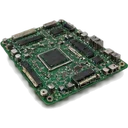
We open the device and photograph the board before touching anything. The photo is the basis for the conversation about what is visible — not a guess from how the phone behaves.
- Board cleaning
We remove the screen and battery, then clear salt residue and oxide products from contacts, connectors and solder joints. We do not heat the whole board for good measure: unnecessary heat is a risk to components and the battery.
- Trace testing
We check continuity and resistance on the copper traces and vias. Corrosion eats copper from the inside, so a visually clean board can still lose contact or change resistance under load.
- Component replacement
A corroded component or connector is replaced, not roughly cleaned. If a part cannot be replaced on that board, we say it plainly, together with what it means for the device.
Frequently asked questions
The phone dried out and works — why check for corrosion at all?
Because corrosion continues after the water is gone. Salts and minerals stay between the contacts and keep eating copper, and the failure often shows up weeks later: shutdowns, charging that does not start, a flickering screen. Checking in time limits the damage before it reaches components.
What does green oxide on the charging contacts mean?
Green is a copper oxidation product, and a sign that moisture stayed there long enough. If it is only on the outer contact, cleaning and stabilising is usually enough. If it runs toward the board, the question is already about traces and internal connectors — which is exactly what diagnosis checks.
I bought a second-hand phone and it has corrosion — what now?
Diagnosis first, not blind cleaning. A device sold as well kept can carry old, dried corrosion, and it sometimes explains heat, fast battery drain or dropped signal. We report the condition of the board and what it means for continued use.
Can I know in advance whether it is worth repairing?
Not from a photo and not from a description. A real prognosis starts at opening: how deep the corrosion goes, whether it reached critical components, and whether the board responds at all. Only then does it make sense to talk about the scope of work and the price — not the other way round.
Related
Water and liquids
The device is wet right now — what to do immediately and what not to do.
Moisture signs and testing
How to check whether moisture got in, and what the signs look like inside.
Phone dropped in water
The first steps after water, and why they do not replace diagnosis.
Contact
PCone Lab · independent lab in Netanya since 2007
- AddressPinhas Lavon 18, Netanya
Directions - Phone09-8345676
- WhatsApp053-701-2069
- HoursSun 9:00-19:00 · Mon-Thu 10:00-19:00 (break 13:30-15:00, Sun-Thu) · Fri 9:00-14:00 · Sat closed